
LST NetSuite Data Archival Solution
Copy historical NetSuite records and File Cabinet documents into a dedicated, searchable archive, so your history stays available to the people who need it.
Years of NetSuite transactions, records, and documents add up, and finding older information can take more time than it should. The LST NetSuite Data Archival Solution, developed by LST Consultancy, copies your historical data into a dedicated PostgreSQL archive and gives your team a web portal to search and retrieve it.
Keep Historical NetSuite Data Accessible Without Slowing Down Your Live Account
Your NetSuite environment should focus on current operations. The LST NetSuite Data Archival Solution separates historical information from your live account while keeping it available for search, review, and retrieval. Your team gets a cleaner working environment, and historical records remain accessible for reference.
What Is the LST NetSuite Data Archival Solution?
The LST NetSuite Data Archival Solution is a proprietary product from LST Consultancy. It extracts the NetSuite records and File Cabinet documents in your archiving plan, copies them into a dedicated PostgreSQL archive, and checks the copy against NetSuite. Archived data stays linked, so your team can find related records and documents later.
The solution includes a middleware pipeline that handles extraction, archiving and a web portal where authorized users can search and retrieve archived information. LST also provides ongoing support and optimization.


Archiving, Backup, and Migration: What’s the Difference?
These terms are often confused, so it helps to be precise:
 Archiving
- Archiving moves historical data out of your active NetSuite environment into a separate, searchable store for reference.
 Backup
- Backup creates copies of data for recovery after loss or corruption. Archiving is not a replacement for your backup or disaster-recovery strategy.
 Data migration
- Data migration transfers data from one system to another, usually as part of an implementation or system change.
The LST NetSuite Data Archival Solution is designed for archiving and retrieval. It copies your NetSuite data into a read-only archive. It does not delete anything from NetSuite, does not load data into another business system, and cannot restore or re-import data into NetSuite. If your company moves away from NetSuite, the history you archived beforehand stays searchable.
Key Product Features
Automated Archival of Records and File Cabinet Documents
Skip the manual exports. LST sets up your archive with you and runs the extraction. The solution copies the NetSuite records and File Cabinet documents in your archiving plan into your archive, so your team does not need to export and file data by hand.

Archiving plan
A custom record that LST’s scripts create in your NetSuite account. It lists each record type to archive, which fields and line lists to include, and in what order. To change the scope, LST updates the plan with you.

What is copied
Each record type in the plan, with the fields and line lists that NetSuite makes readable. SuiteQL is used first, and SuiteScript with saved searches reads what SuiteQL cannot. Anything NetSuite does not expose cannot be archived. LST identifies these during discovery and lists them for your review.

File Cabinet
Every folder and file is copied, except the SuiteBundles folder (installed bundle code). Selecting individual folders is not available today.

Scope by record type
Every record of a selected type is copied, old and new. Filtering by date is not available.
Secure, Scalable PostgreSQL Archive
Your archived data is stored in PostgreSQL, a widely used open-source relational database. Each customer gets a dedicated install for one NetSuite account, with its own database that is never shared with other customers.

Hosting
On a server you choose. Archived documents go to your own Microsoft OneDrive (Microsoft 365), not into PostgreSQL.

Backup
The product does not run automatic database backups or replication. Your team or hosting provider handles these, and standard PostgreSQL backups work.

Passwords
Portal passwords are stored only in hashed form.

Encryption
Connections to NetSuite and Microsoft use HTTPS. Encryption at rest depends on your server or managed database service, and OneDrive documents get Microsoft 365’s standard encryption.
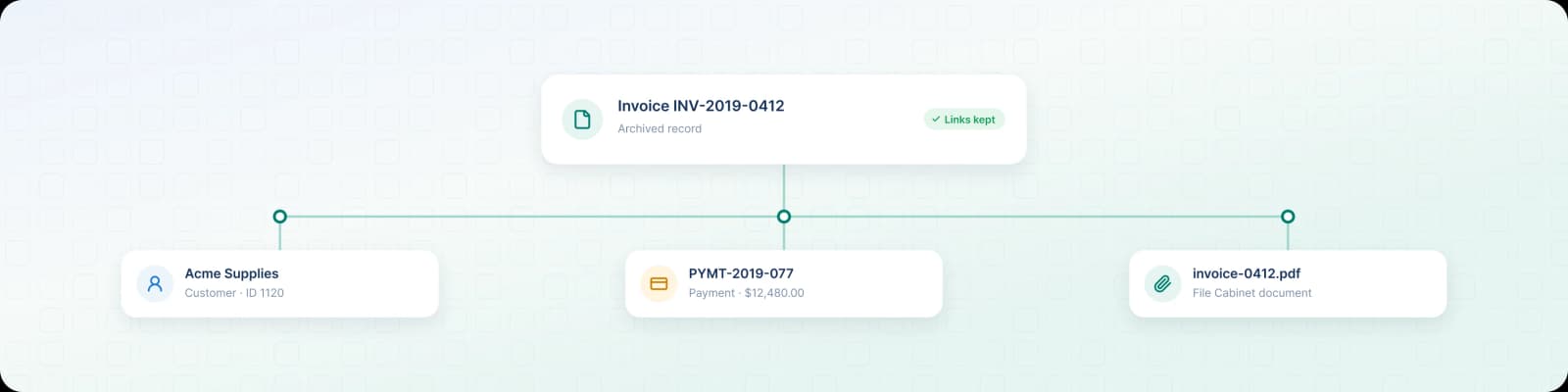
Preserved Relationships Between Archived Records
Business records rarely stand alone. The solution keeps the links between archived records, so related information stays connected. In the portal, reviewers can follow a record to its related records instead of rebuilding the connections by hand.
Web Portal for Search, Filter, Sort, and Retrieval
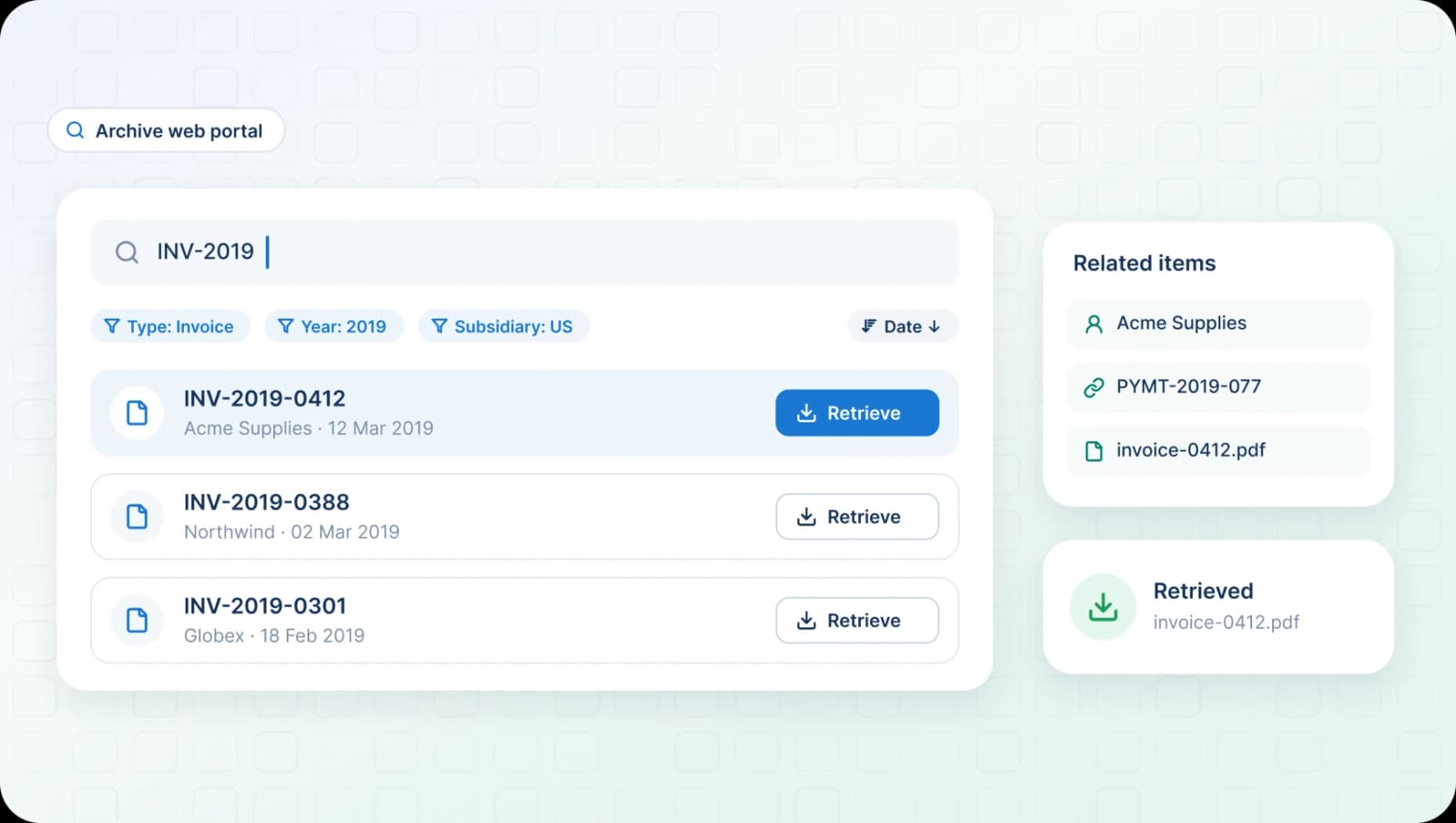
Authorized users search archived records, filter results, sort them and retrieve what they need. Finance, operations and audit teams can find historical records without asking an administrator.

Role-based access
A built-in Admin role sees everything and is the only role that manages users and roles. Admins create custom roles that control which record areas, reports and subsidiaries each user can see.

Invitation only
Users join by email invitation, with no public sign-up. Admins can change a user’s role or deactivate them.

Browser-based
The portal runs in a modern web browser, with nothing to install.

Export
Records export to Excel (main records and item lines on two sheets), financial reports download as CSV, and archived documents can be viewed or downloaded.
Batch-Based Synchronization
Data is read from NetSuite and saved to the archive in batches, which keeps large runs predictable and manageable.

On demand
LST starts each run. Nothing runs on a schedule.

Full runs
Each run copies everything in the plan. There is no changes-only mode.

Safe re-runs
A re-run updates existing rows instead of creating duplicates.

Batch size
Data is read in pages and saved 1,000 rows at a time.

Impact on NetSuite
The pipeline only reads, through NetSuite’s APIs, with up to 4 parallel requests by default, and slows down automatically when NetSuite reports too many requests. It shares your account’s API capacity with other integrations, so LST plans large runs outside business hours.
Error Logging and Retry Logic
If a record or document cannot be processed, the pipeline logs the error and retries automatically, so LST can see what was processed, what failed and what needs attention.
Retries
Failed NetSuite calls and document uploads are retried automatically, with increasing waits. Each uploaded file’s size is checked against the original.

Problem rows
A row that cannot be saved is skipped and counted, and all other rows are still saved.

Reporting
Failures appear in run logs and in a status table (completed, failed or not found per record type). LST reviews these and re-runs the failed parts.
Token-Based API Security
Each connection point uses its own credential:

Connection to NetSuite
NetSuite Token-Based Authentication. You create the token and tie it to a NetSuite role, so its scope is exactly that role’s permissions. It does not expire, and you can revoke or replace it in NetSuite at any time.

Data sent from NetSuite (optional path)
One shared secret key, which can be rotated on the server and in the NetSuite setup record.
Portal users
A signed session token in a secure browser cookie that page scripts cannot read. Logging out ends it immediately.
Business Benefits
Authorized users, including auditors and other read-only reviewers, can find older records and archived documents in the portal without a NetSuite user licence. If your company moves away from NetSuite, the history in your archive stays searchable.
General ledger, trial balance, income statement, balance sheet, AP and AR aging, and sales and purchases by tax code, filtered by period and subsidiary.
Your archive runs in its own database for your company alone, with documents stored in your own Microsoft OneDrive.
LST runs the extraction, so your team does not export and file historical data by hand.
NetSuite’s own system notes (who changed what, and when) are archived with each record in your plan.
Once you have verified the archive, you decide whether to remove older records from NetSuite. This is a separate step you control, and depending on your data volumes it may reduce storage use.
Related records stay linked, so reviewers can follow a transaction to the records connected to it.
Each role can be limited to specific subsidiaries.
LST supports your archive after deployment.
How the Archival Process Works
The solution follows a four-step process, which LST runs with you.
 Step 1
Connect and Plan
LST connects to your NetSuite account and sets the scope of your archive.
- Connection
- NetSuite Token-Based Authentication, using SuiteQL and REST web services. You create an integration record and an access token for a NetSuite role that can log in with access tokens, run SuiteQL, use REST web services, view the record types being archived, and access Documents and Files.
- Archiving plan
- LST’s scripts, installed in your NetSuite account, create the plan that lists each record type to archive, which fields and line lists to include, and in what order.
- Documents
- To archive File Cabinet documents, you provide a Microsoft Azure app registration with access to your OneDrive.
 Step 2
Extract and Archive
The pipeline reads the records in your plan and saves them to your PostgreSQL archive in batches.
- Records
- SuiteQL is used first. Where SuiteQL cannot read a field, SuiteScript with saved searches reads it instead. Records, their line lists and NetSuite change history are saved with the links between records kept.
- Documents
- File Cabinet documents are copied to your own Microsoft OneDrive, and each file’s size is checked against the original.
- No duplicates
- Every row has a unique key, so re-running a load updates rows instead of duplicating them.
 Step 3
Verify
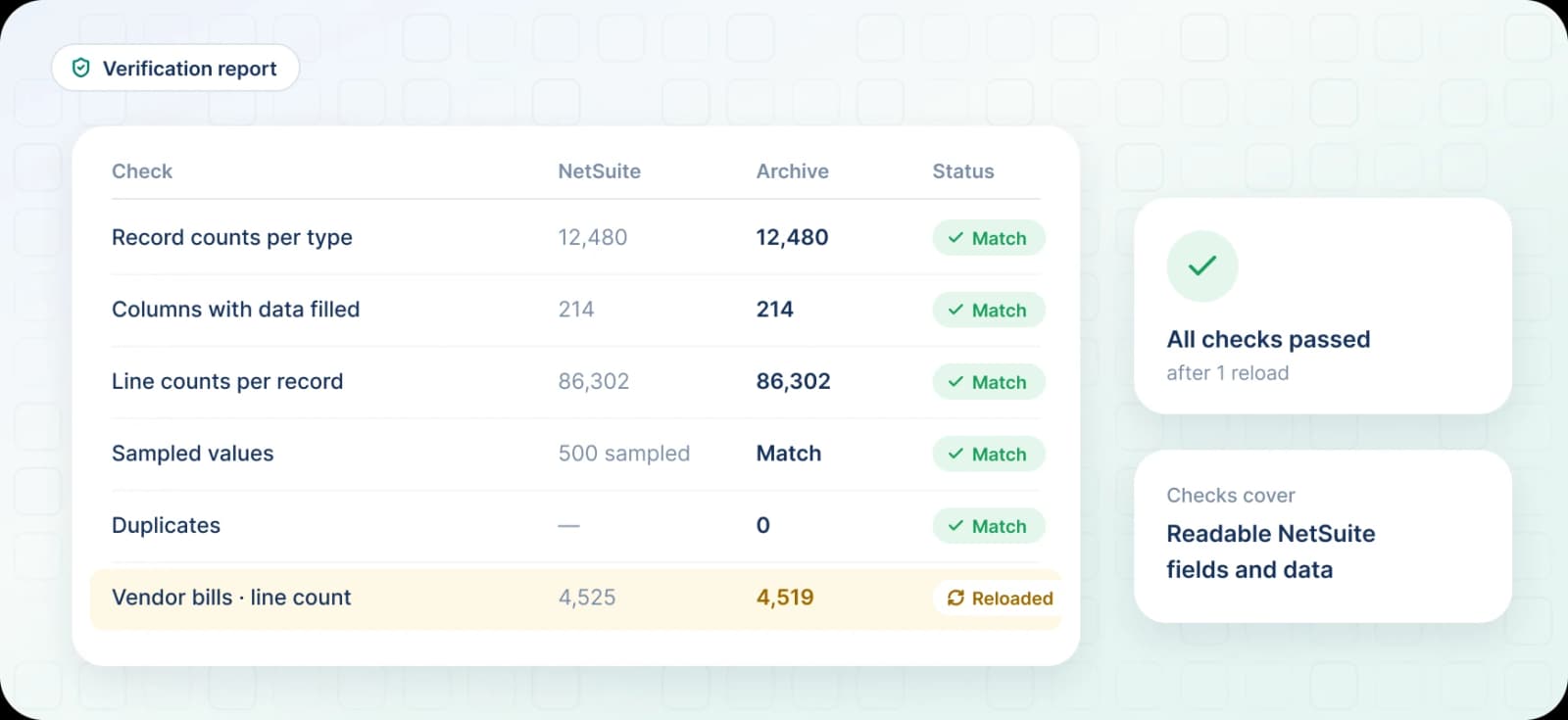
After the data is copied, LST’s checking tools compare the archive with NetSuite: record counts per type, whether columns that hold data in NetSuite are filled in the archive, line counts per record, sampled values (amounts, dates and names), and duplicates. LST fixes any differences and reloads the affected data. Checks cover the fields and data NetSuite makes readable.
 Step 4
Search and Retrieve
Authorized users sign in to the web portal to search, filter, sort and retrieve archived records and documents.
Data Types Supported
The solution archives NetSuite records and File Cabinet documents. The exact list for your archive is set by your archiving plan, and covers what NetSuite makes readable through its query and search interfaces.

Master data
for example customers, vendors, employees, partners, contacts, items, accounts, departments, classes, locations, subsidiaries and currencies.

Transactions
for example sales orders, invoices, cash sales, purchase orders, vendor bills, payments, credit memos, journal entries, item fulfilments and item receipts, each with their lines (items, addresses, GL impact).

Documents
files of any type in the File Cabinet, such as PDFs, images, spreadsheets and CSVs, except the SuiteBundles folder.

Activities and notes
tasks, phone calls, events, messages and user notes.

Change history
NetSuite system notes (who changed what, and when) for the archived records.

Custom data
custom records and custom lists.

Records deleted in NetSuite before archiving.

Account settings and NetSuite roles.

NetSuite customizations: Scripts, workflows, saved searches, forms and dashboards.

Record types and fields that NetSuite does not make readable through its query or search interfaces. LST identifies these during discovery and lists them for your review.

Access Archived Records and File Cabinet Documents
Archived information stays available through the web portal. Users can:
 Search archived records
- View or download archived documents
- Filter results to narrow the list
- Sort results to find what matters
- Retrieve the information they need
Because relationships between records are preserved, users can move from one archived item to related items.
Data Integrity, Security, and Architecture
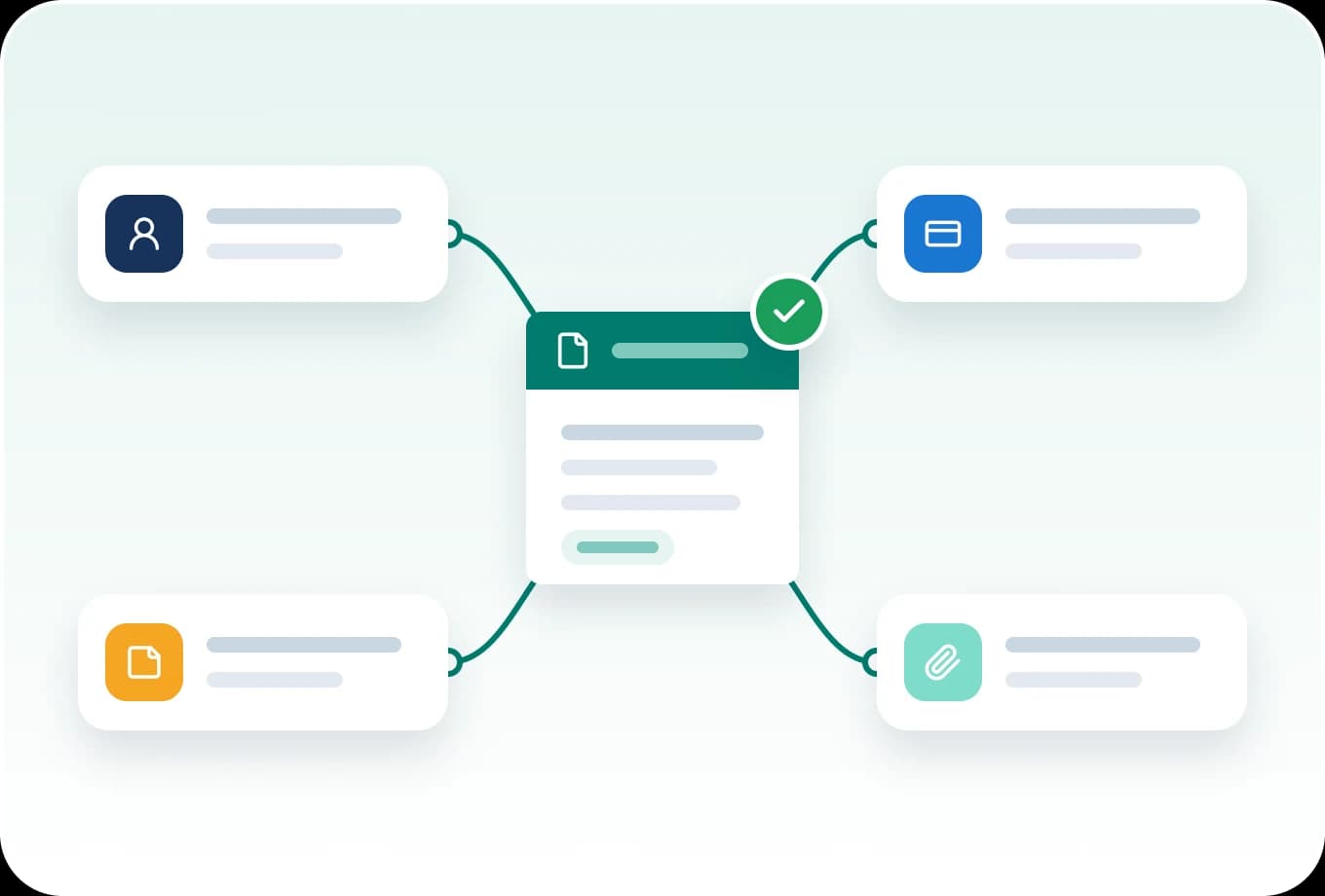
Preserved Relationships and Data Integrity
Archived records keep their relational links, and verification runs after data is archived. Together, these steps support consistent, connected historical data.
 No duplicates: every row has a unique key, so re-running a load never creates duplicates.
- Traceable records: original NetSuite IDs are kept next to the readable names.
- Checked after each load: LST’s checking tools compare the archive with NetSuite.
- Known limits: checks cover the fields and data NetSuite makes readable. Some NetSuite fields cannot be read through its API. If a row cannot be saved, it is skipped, counted and reported, so LST can resolve it.
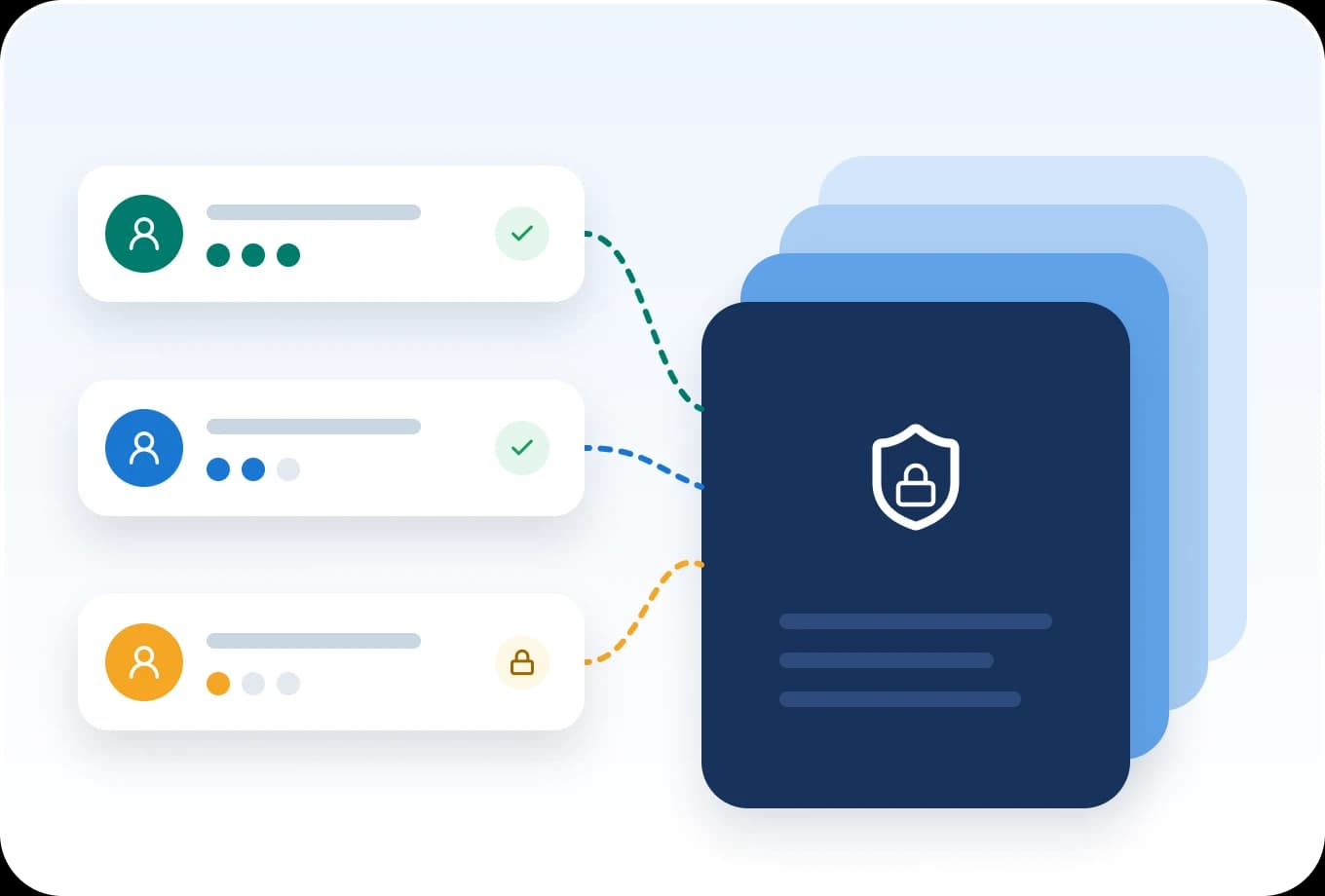
Security and Access Control
- Token-based API security: the connection to NetSuite uses NetSuite Token-Based Authentication, which controls programmatic access.
- Invitation-only portal: users sign in with email and password, with no public sign-up. Passwords are stored only in hashed form.
- Session and login protection: sessions expire automatically, and login attempts are rate-limited.
- Single-use links: invitation links (72 hours) and password-reset links (1 hour) work once.
- Role-based access: a built-in Admin role manages users. Custom roles control which record areas, reports and subsidiaries each user can see.
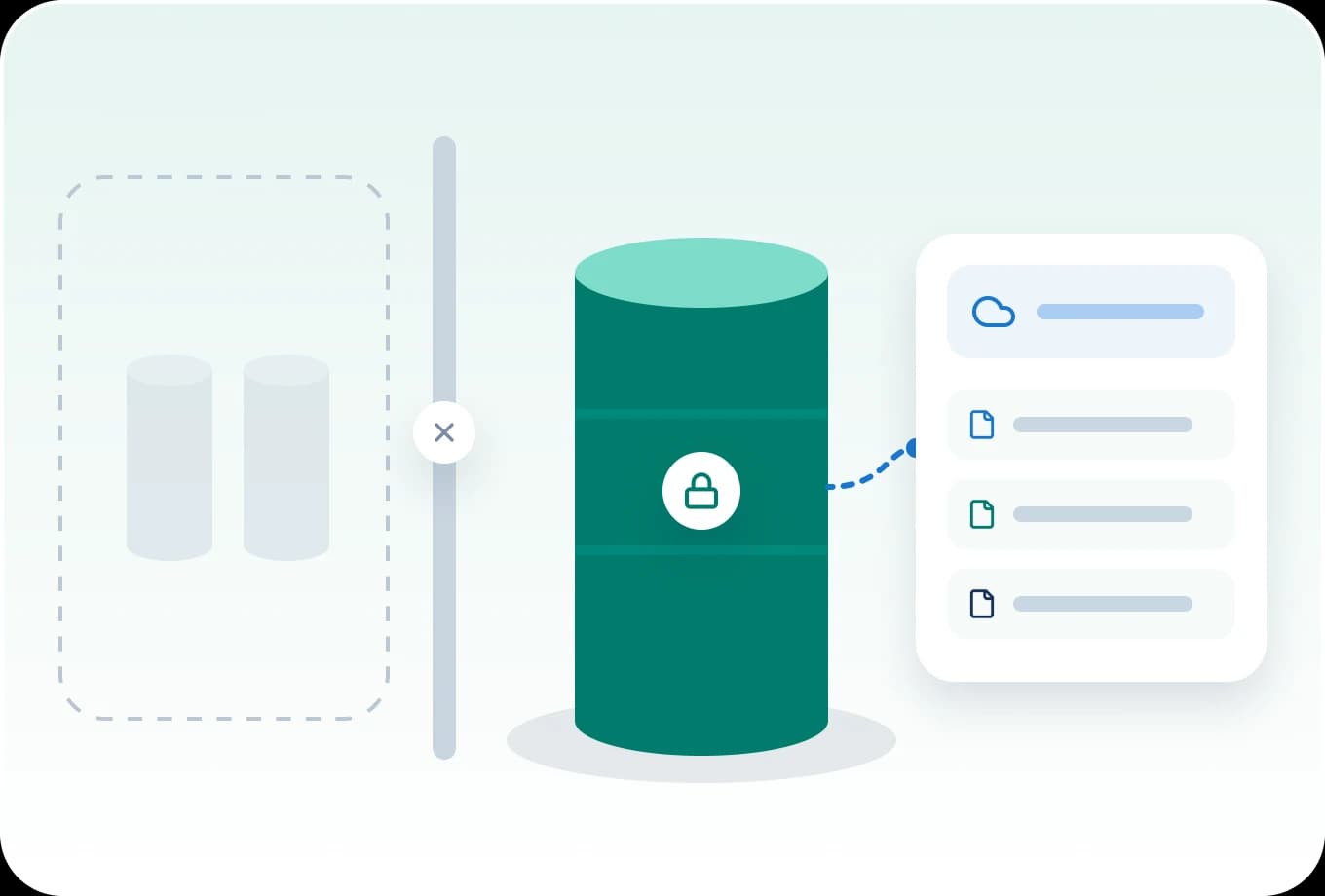
Dedicated Deployment
Your archive runs in its own PostgreSQL database for one NetSuite account, and is never shared with other customers. Your documents are stored in your own Microsoft OneDrive.
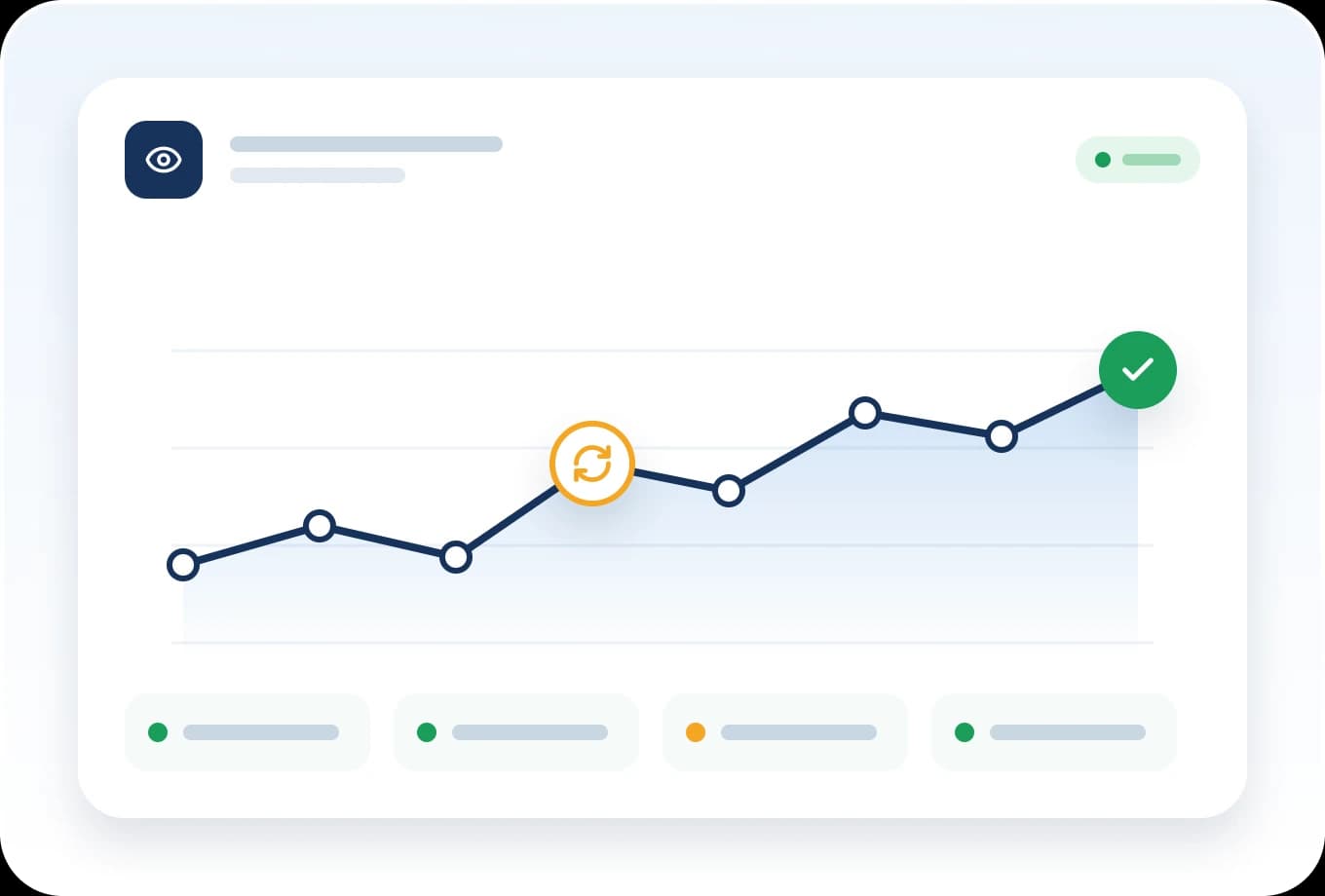
Monitoring and Error Handling
Errors are logged and failed items are retried automatically. LST reviews the run logs and status table, and re-runs anything that needs attention.
Business Use Cases

Finance and Accounting Teams
Finance teams often need historical transactions and supporting documents for reconciliation, reporting, and review. The archive keeps this information searchable, separate from your live account.

NetSuite Administrators and IT Leaders
Once you have verified the archive, you decide whether to remove historical data from your live environment. LST runs archival through a defined pipeline with logging and retry handling, so your team does not manage the extraction.

Compliance and Audit Support
Auditors and compliance teams may need historical records and their connections. A searchable archive with preserved relationships can support those reviews, subject to your retention policies and regulatory requirements.
Why Choose LST Consultancy?
LST Consultancy developed the LST NetSuite Data Archival Solution as its own product. The solution combines automated extraction, a secure PostgreSQL archive, a searchable web portal, and ongoing support.
Explore LST Consultancy’s NetSuite servicesOngoing Support and Optimization
LST provides ongoing support and optimization after deployment. This covers:
 Adding to your archive
Adding record types or fields to your archiving plan as your needs change.
- Re-running loads
Re-running data loads whenever you need your archive refreshed.
- Fixing gaps
Resolving any gaps found by the checking tools during verification, and reloading the affected data.
Frequently Asked Questions
Find answers to common questions about LST NetSuite Data Archival Solution.

Still have questions?
Can't find the information you're looking for? Talk to our team about your specific requirements.
NetSuite data archival is copying historical NetSuite records and File Cabinet documents out of your live account into a separate, searchable store, so older information stays available for reference without crowding your day-to-day environment. The LST NetSuite Data Archival Solution copies them into a dedicated, read-only PostgreSQL archive with a web portal for search and retrieval.
The records and File Cabinet documents in your archiving plan: master data (customers, vendors, employees, items, accounts and more), transactions with their lines, File Cabinet files of any type except the SuiteBundles folder, activities and notes, NetSuite system notes (change history), and custom records and lists. It covers what NetSuite makes readable through its query and search interfaces.
Archived records are stored in a dedicated PostgreSQL database, on a server you choose, for your NetSuite account alone; it is never shared with other customers. Archived File Cabinet documents go to your own Microsoft OneDrive (Microsoft 365), not into PostgreSQL.
Yes. Authorized users, including auditors and other read-only reviewers, sign in to the web portal by email invitation and can search, filter, sort and retrieve archived records and documents without a NetSuite user licence. Admins control what each role can see, down to record areas, reports and subsidiaries.
After each load, LST’s checking tools compare the archive with NetSuite: record counts per type, whether columns that hold data in NetSuite are filled in the archive, line counts per record, sampled values (amounts, dates and names), and duplicates. LST fixes any differences and reloads the affected data. Checks cover the fields and data NetSuite makes readable.
No. Backup creates copies of data so you can recover after loss or corruption. Archiving moves historical data into a separate, searchable store for reference. The LST NetSuite Data Archival Solution is not a replacement for your backup or disaster-recovery strategy, and it does not restore data into NetSuite.
No. The solution only copies data; it does not delete anything from NetSuite. Once you have verified the archive, you decide whether to remove older records from NetSuite. That is a separate step you control, and depending on your data volumes it may reduce storage use.
No. The archive is read-only and designed for search and retrieval. It cannot restore or re-import data into NetSuite, and it does not load data into another business system. Records can be exported to Excel, financial reports downloaded as CSV, and archived documents viewed or downloaded.
Archiving on its own does not change your NetSuite account, because the data is copied, not moved. If you later choose to remove verified historical records from NetSuite, that may reduce storage use depending on your data volumes.
Request a product demo or book a consultation. LST will walk through the archival process, the web portal, and how the solution fits your data volume and retention needs, then agree your archiving plan with you.
Request a product demoRequest a Demo or Consultation
See how the LST NetSuite Data Archival Solution can work with your environment. Our team can walk through the archival process, the web portal, and how the solution fits your data volume and retention needs.